
Keep a wishlist
Track the copies you're hunting for, with the most you'd pay, and move one into your collection the moment you find it.
Why it's useful
- Describe the copy, not just the book: edition, printing, condition, jacket, signature.
- A ceiling you've written down is easier to stick to at the counter.
- Share your wishlist on your public page without ever sharing what you'd pay.
How to use it
- 1
Open your Wishlist
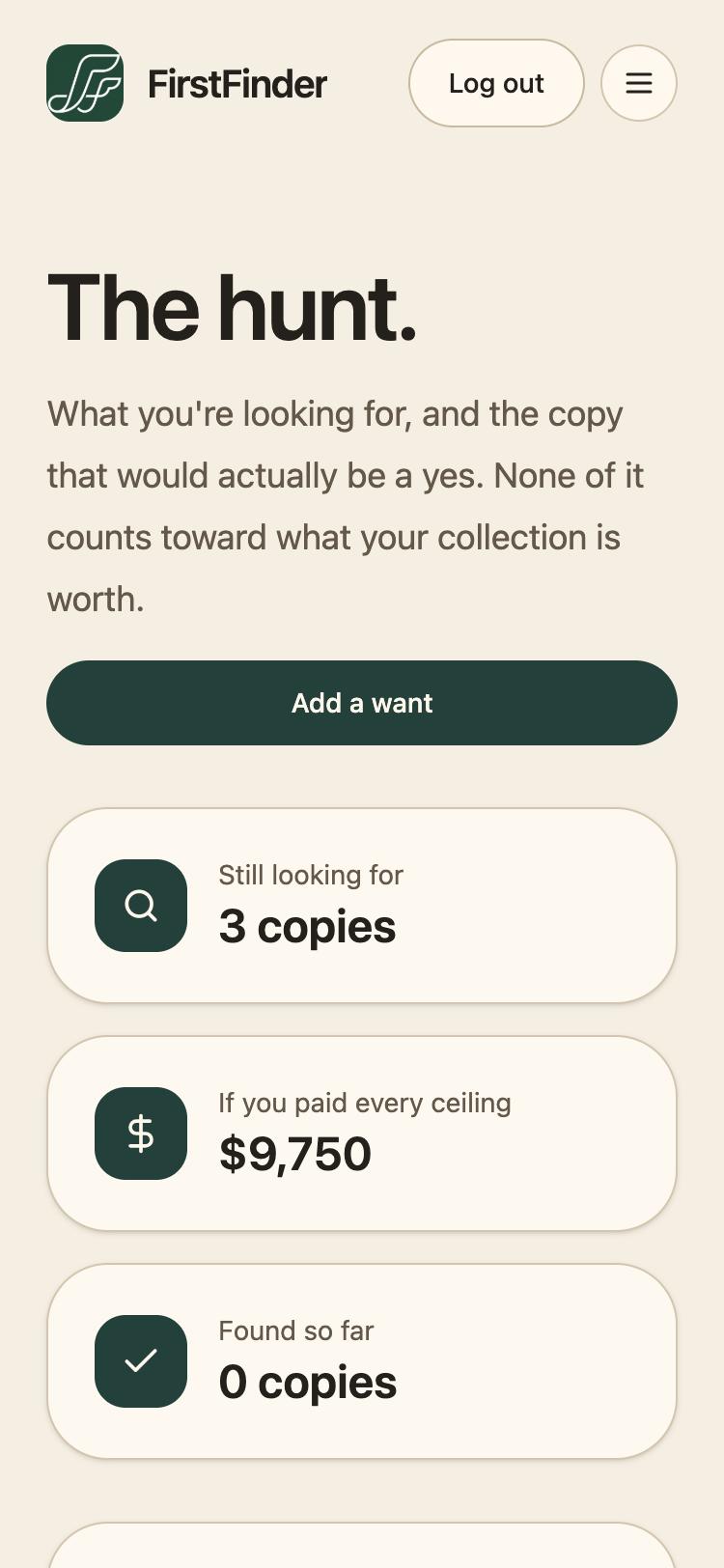
Choose Wishlist from the menu. The top of the page shows how many copies you're still looking for and what you'd spend if you paid every ceiling.
- 2
Add a want, and describe the copy
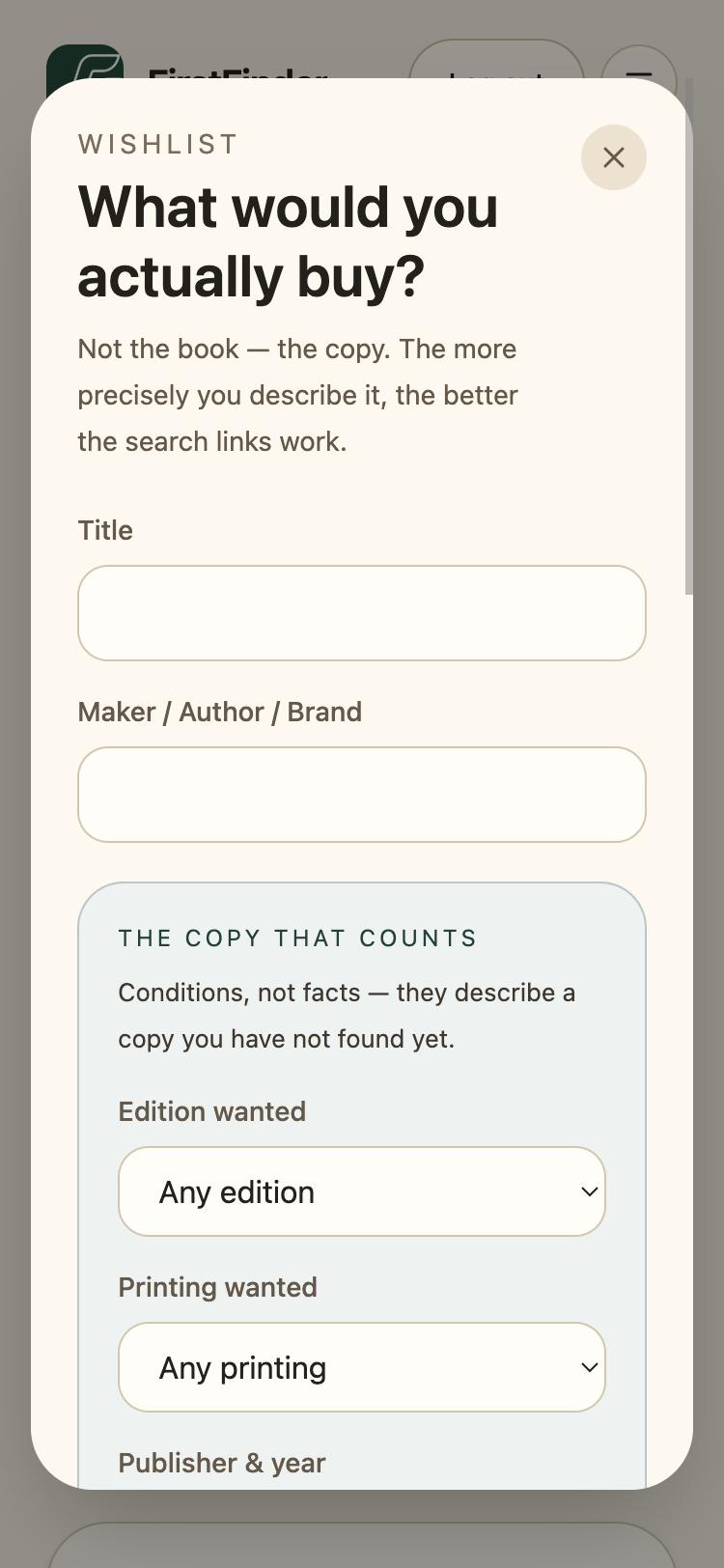
Tap Add a want. Give the title and author, then the copy that counts: which edition and printing, the worst condition you'd accept, and whether the jacket or a signature matters.
- 3
Set your ceiling and how badly you want it
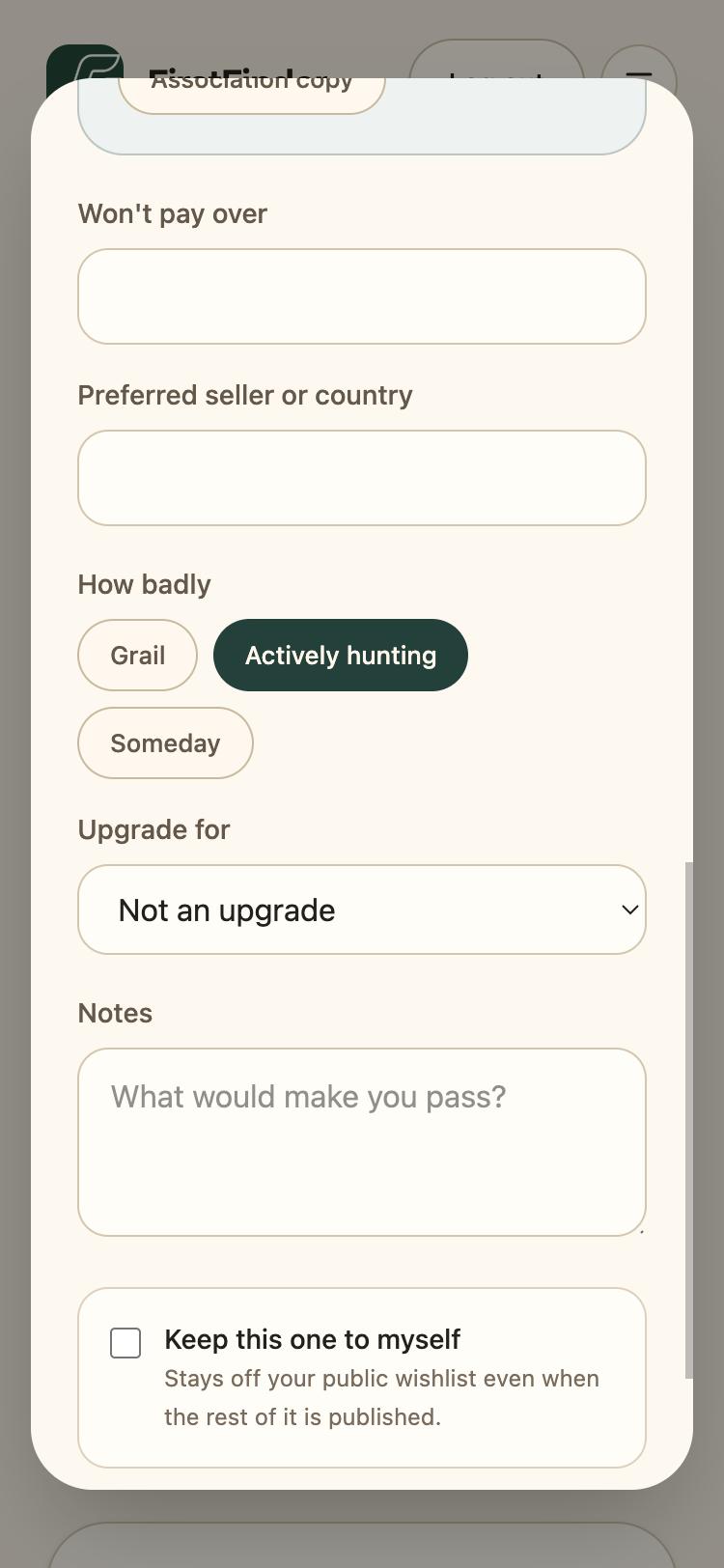
Won't pay over is your limit. How badly sorts it as a Grail, Actively hunting, or Someday. Keep this one to myself leaves it off your public page.
- 4
Search for it
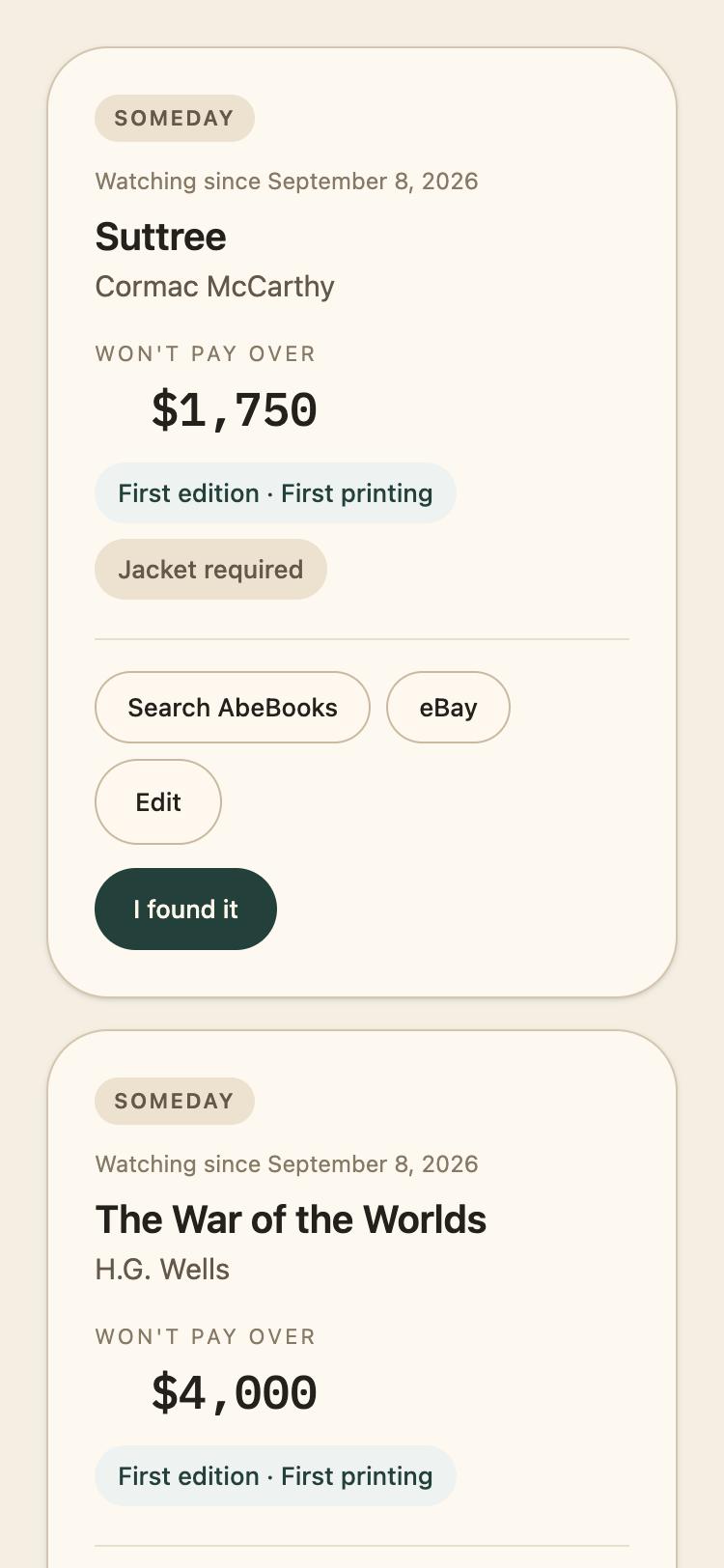
Each want has Search AbeBooks and eBay buttons built from the details you gave, so you can check what's out there in one tap.
- 5
Found it? Move it into your collection
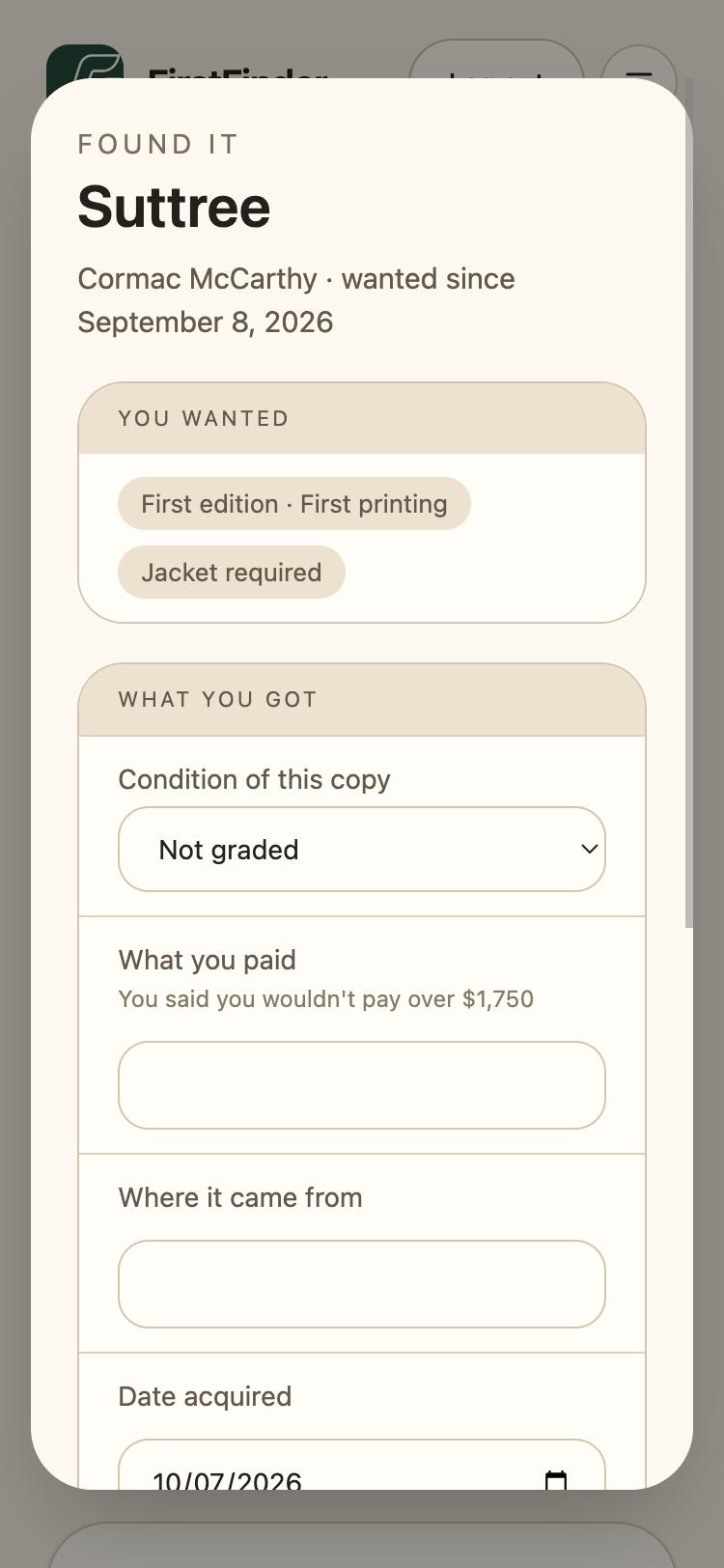
Tap I found it. FirstFinder shows what you wanted next to what you got, and reminds you of your ceiling when you enter what you paid.
- 6
Photograph it right there
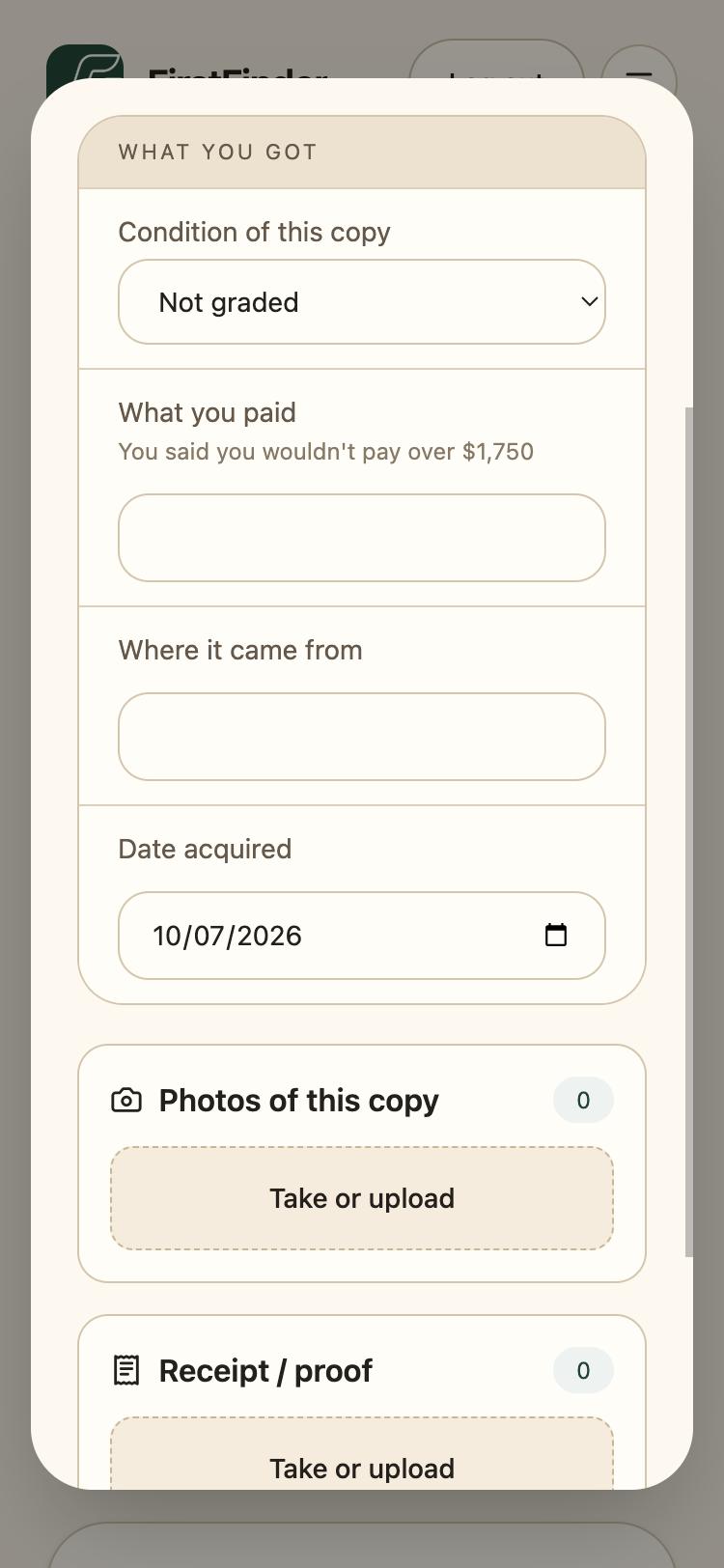
Add photos of the copy and its receipt in the same step, then Add to collection. The hunt stays on record rather than being deleted.
Good to know
- Nothing on your wishlist counts toward what your collection is worth.
- Upgrade for links a want to a copy you already own that you're hoping to replace with a better one.